
📆Use Date Comparisons in Filters
When you need to compare two dates to return the days-between, either as an export or a filter value, you will probably* need to use a simple custom SQL formula.
*Probably since fields configured as a date/time field leverage a basic filter using the structure <= today or <=today-1 week and do not need this.
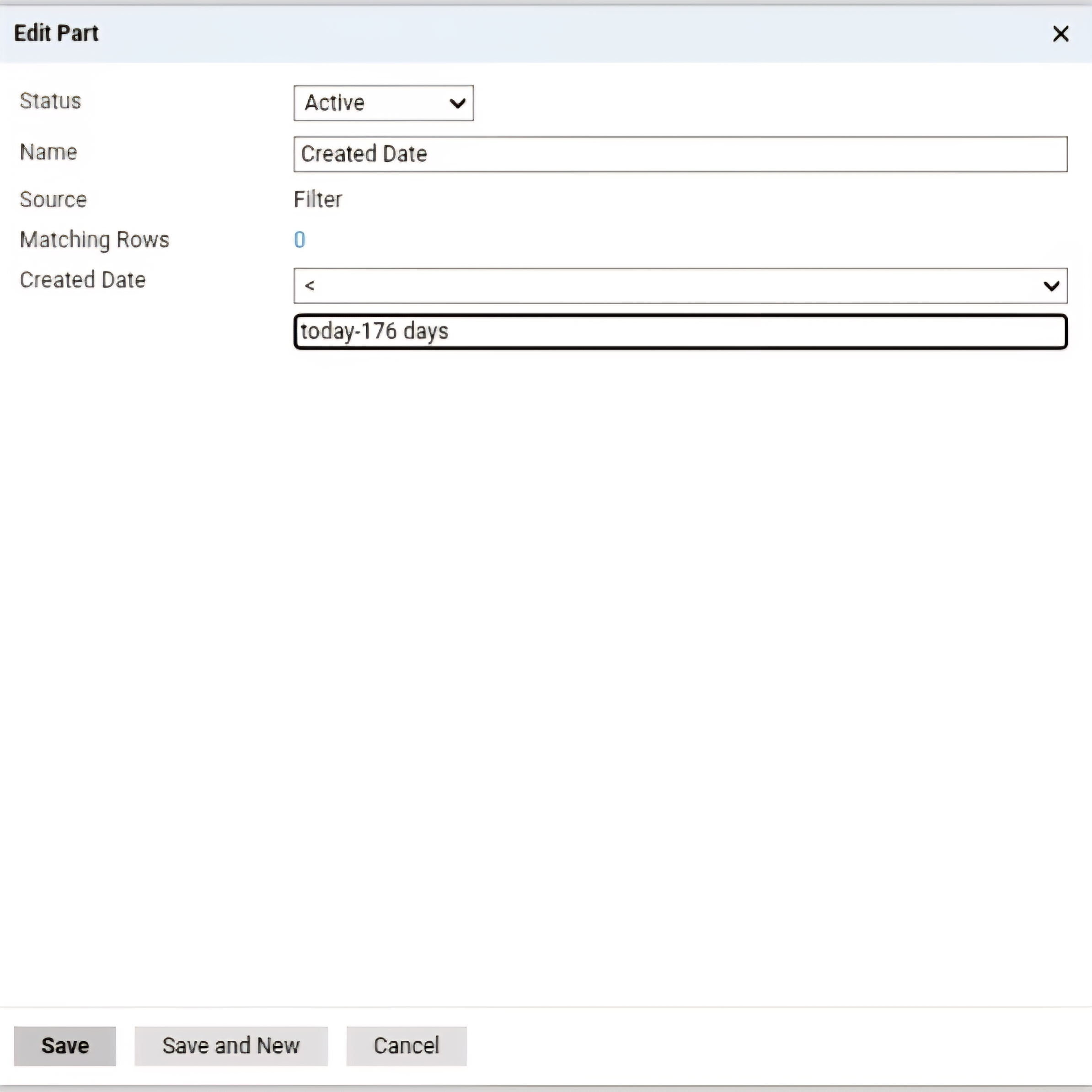
This is especially useful when your field is not a date/time field, but is either an Export Value on a prompt (think term deadlines on a term prompt list) or a translation code (could also be term deadlines when all of your export values are doing something else!). In these cases, you cannot add a basic filter, but instead, need to build a basic subquery with a formula.
Two different formula options
A quick note on the two different formula options available, datediff and math.floor
Datediff:
datediff(day,@date1,@date2)
This is the most traditional formula and works in most use cases. The primary drawback is that it ignores the TIME part of a date/time configuration and always toggles over at midnight EST (Slate Standard Time). However, if your export value does not have a time specificed (date only, like 1/1/2027), then this is perfect.
Math.floor:
Math.floor((@date1 - @date2) / 86400000)
This can be used when you want a 1PM deadline to toggle over at exactly 1PM, because it is doing a precise calculation down to the millisecond. Check out Ben Wilner's article for the week and year variations.
Subquery Design
This assumes you've already built out export value or translation code export values to reference your custom dates.
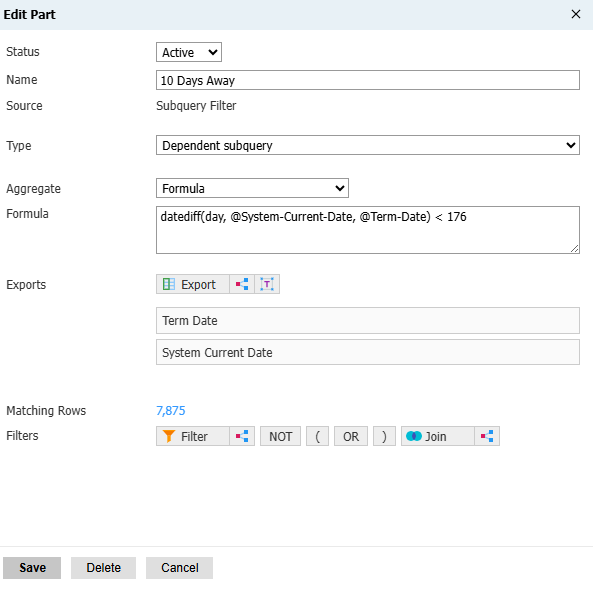
The basic structure is datediff(day,@closest-date,@far-out-date). This should return a positive integer, so long as the second date is later than the first.
The goal of this example is to not include a record until we are within a certain number of days of a future date. In this example, we will write a formula that is equal to < today-176 days.
So, in your formula:
- Add the two dates you wish to compare as exports. In this case, Term Date and Current Date.
- Build your datediff() formula
- Add your comparison operator (>,<,==,<=,>=)
- Add an integer value.
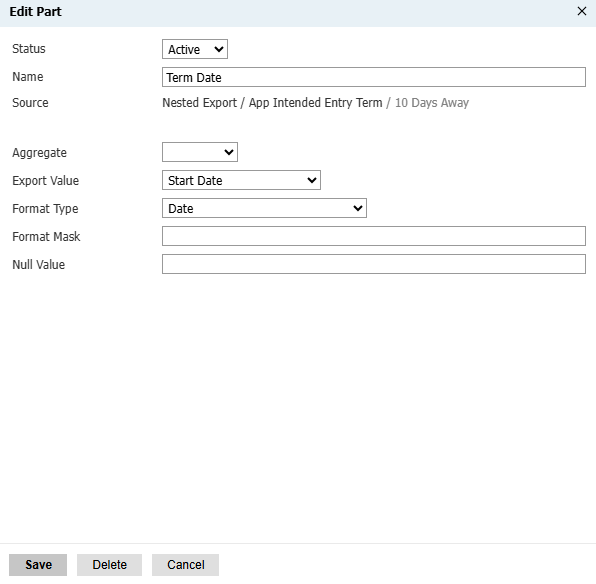
- In this example, < 176 is used so that records will not be included in the query results until the current day is less than 176 days from the Term Date (which is configured as the Start Date).
Make sure you configure the export to have a date format mask:
And that's it! You can swap out the datediff formula for a math.floor one very easily, if you need more precision. A primary usecase for this is to send out deadline notifications when the deadline is only saved in a translation table, or to only send out a notification XX number of days before a specified date (such as start of term).
No comments to display
No comments to display