
⚓Anchor Links in Portals and JavaScript Fixes
If you’ve ever tried to add a "Table of Contents" or internal jump links to a Slate portal page that uses subtab navigation, you may have noticed a frustrating behavior: clicking the link either does nothing or causes the entire portal page to reload.
This happens because the JavaScript governing the subtab structure competes with standard HTML anchor behavior. Here is how to bypass that interference and ensure your end users have a seamless experience.
1. Set Your Anchor ID
First, ensure the section you want to jump to has a unique ID in the HTML. You can do this within the WYSIWYG editor's "Source" view:
<h2 id="training-materials>Training Materials</h2>
2. Create Your Link
Link to that ID using the standard # notation in your href:
<a href="#training-materials">Jump to Training Materials</a>
3. Add the Custom Script
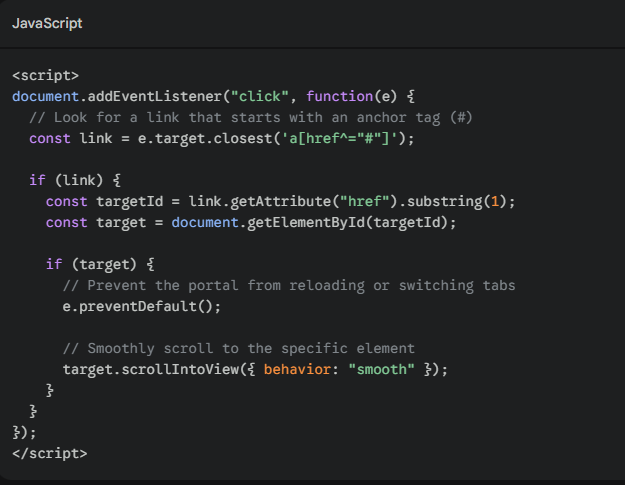
To prevent the subtab navigation from "breaking" the link, add this custom script to your portal. This script listens for clicks on links starting with #, prevents the default "reload" behavior, and manually scrolls the user to the correct element. You can adjust the behavior attribute to achieve different effects.
<script> document.addEventListener("click", function(e) { // Look for a link that starts with an anchor tag (#) const link = e.target.closest('a[href^="#"]'); if (link) { const targetId = link.getAttribute("href").substring(1); const target = document.getElementById(targetId); if (target) { // Prevent the portal from reloading or switching tabs e.preventDefault(); // Smoothly scroll to the specific element target.scrollIntoView({ behavior: "smooth" }); } } }); </script>
Why This Works
By using e.preventDefault(), we tell the browser (and Slate’s subtab logic) to ignore the standard navigation routine. Instead, we use the scrollIntoView method to move the user’s focus directly to the content they requested. As a bonus, the { behavior: "smooth" } setting provides a much more polished feel than the traditional "instant jump."
No comments to display
No comments to display