
⏱️DateDiff Calculation for Time Between Activities
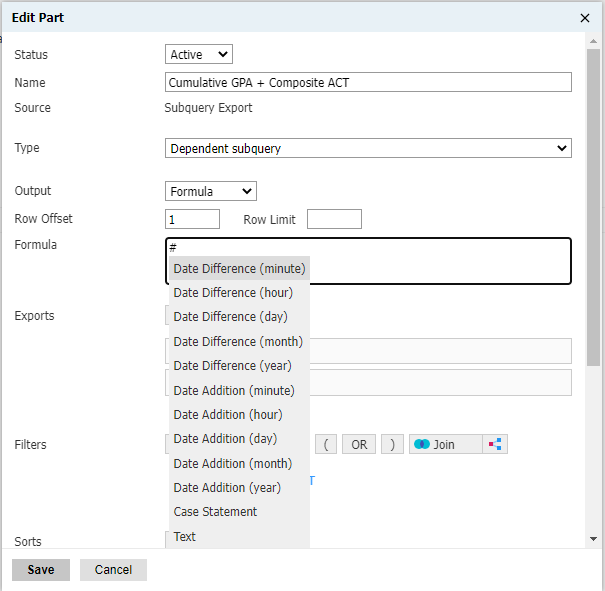
There are often situations when we are asked to find the amount of time that has passed between two activities - inquiry date-to-application submission date, follow-up activities by Admissions staff after key interactions, or the average time it takes to move files between Workflow bins. Luckily, we have the ability to use DateDiff formula calculations across various units of time to help us answer these questions. As an added bonus, Slate has made it easy to generate these calculations when creating a subquery export: just type the pound/hash sign (#) to pre-populate available formulas:
Aggregating Key Date/Time Metrics
Taking this a step further, we can use DateDiff calculations to aggregate key data within Slate Reports and find areas for improvement, identify bottlenecks, or gain better insight to how quickly specific phases of our processes may be occurring. As an example, it may be important to understand how long it takes between an application submission date and when the application undergoes an initial GPA Recalculation review. Specifically, you can create a table report part with an Aggregate output calculating an Average, select a Group By value for your rows (e.g., Academic Major), and finally do your DateDiff calculation within the Value section. You would then have a single "Days" column on your report returning the DateDiff calculation per academic program.
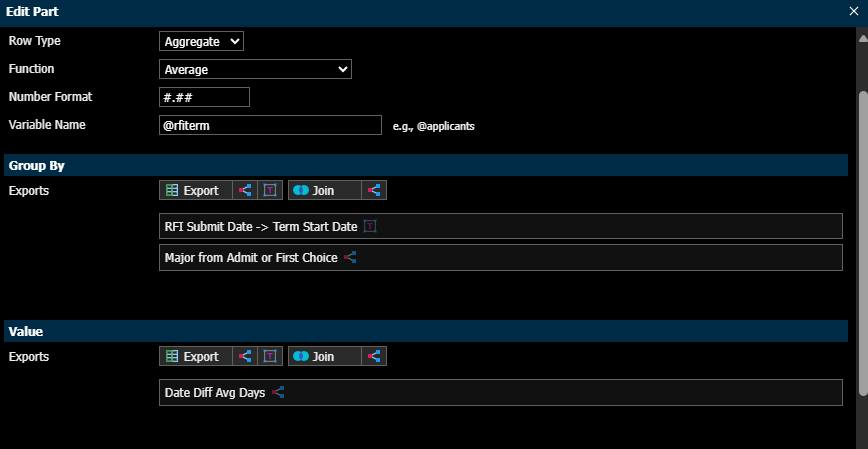
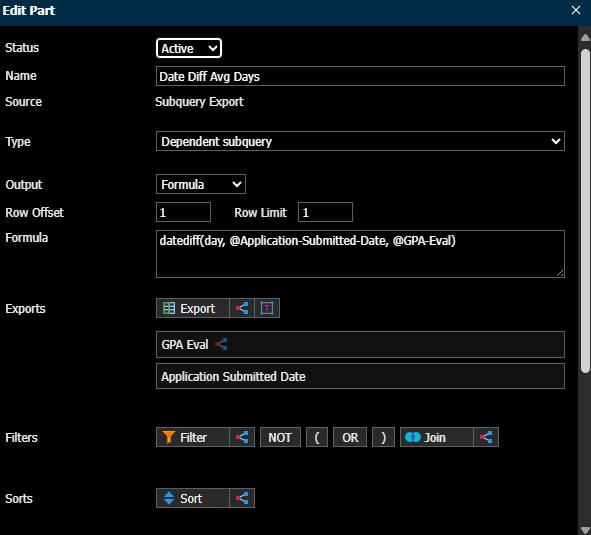
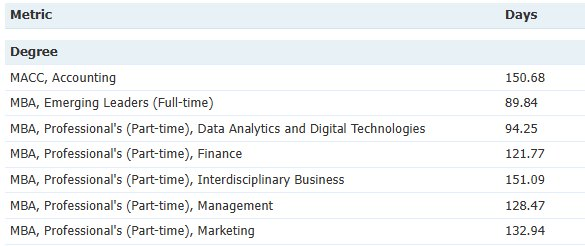
After your table configuration is complete, the average number of days between dates (in our example, application submission date and GPA Evaluation form submission date) per academic program would look something like:
The possibilities are endless in terms of usage of DateDiff calculations and which units of time are analyzed. Cheers to optimizing your Slate instance and related processes!
No comments to display
No comments to display