
📐Liquid Markup - Bullet List Tips
One early challenge in using Liquid Markup is using liquid in a list, and ending up with blank bits all over your email/portal. I know I made this mistake many times early on!
This Liquid example below seems to make intuitive sense - if visit == 'N', show "Visit Campus". It even shows your simple liquid plainly in the content editor!
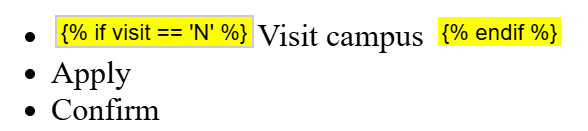
However, the output for a record with visit == 'Y' would render like this, with a blank list element, which is probably not what you wanted to happen:

The solution is simple - wrap the Liquid around the raw <li></li> HTML code, not just the content.
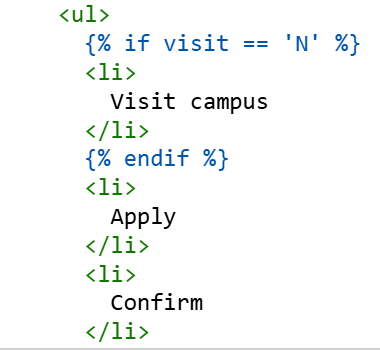
This will now render just two bullets:

The primary drawback is that the WYSIWYG content editor will no longer display the Liquid tag in yellow, as it did originally:
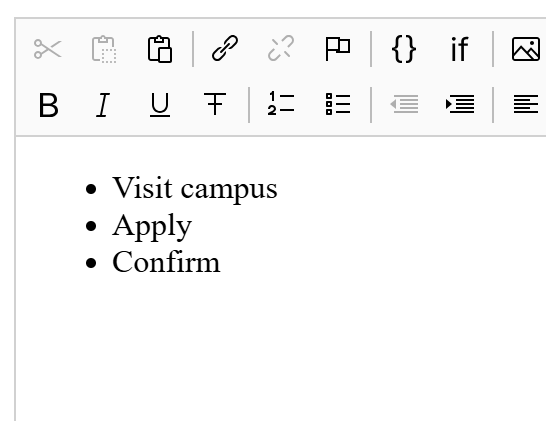
It only shows in the raw source code HTML - so be mindful of this! It is there, and it is working.
<ul>
  {% if visit == 'N' %}
  <li>Visit campus</li>
  {% endif %}
  <li>Apply</li>
  <li>Confirm</li>
</ul>
This basic technique of hiding entire elements in the HTML code instead of the contents you see in the default content editor will expand your use of Liquid Markup in Slate. Now you can hide a whole <table>, a single row <tr>, an <img>... the list goes on.
No comments to display
No comments to display