
📑 Copy and Paste Filter Selections
Have you ever had a filter with a long, complicated set of selections? Sometimes, you need to use those selections in a different filter in a different place:
- Converting a Local or Slate Template Library query into a Configurable Joins query
- Applying the same filter selections across multiple places in a report
- Replicating functionality in different places in Slate (like a form to a dashboard, or a mailing to portal)
You can use a query library if it's a commonly used element. But that doesn't help if the filter already exists - you still need to re-select every item manually.
Not anymore! These two bookmarklets allow you to copy a set of filter selections and then paste them as many times as you need into another filter. (And yes - this does work even if the original query is Local/STL and the new query is CJs!)
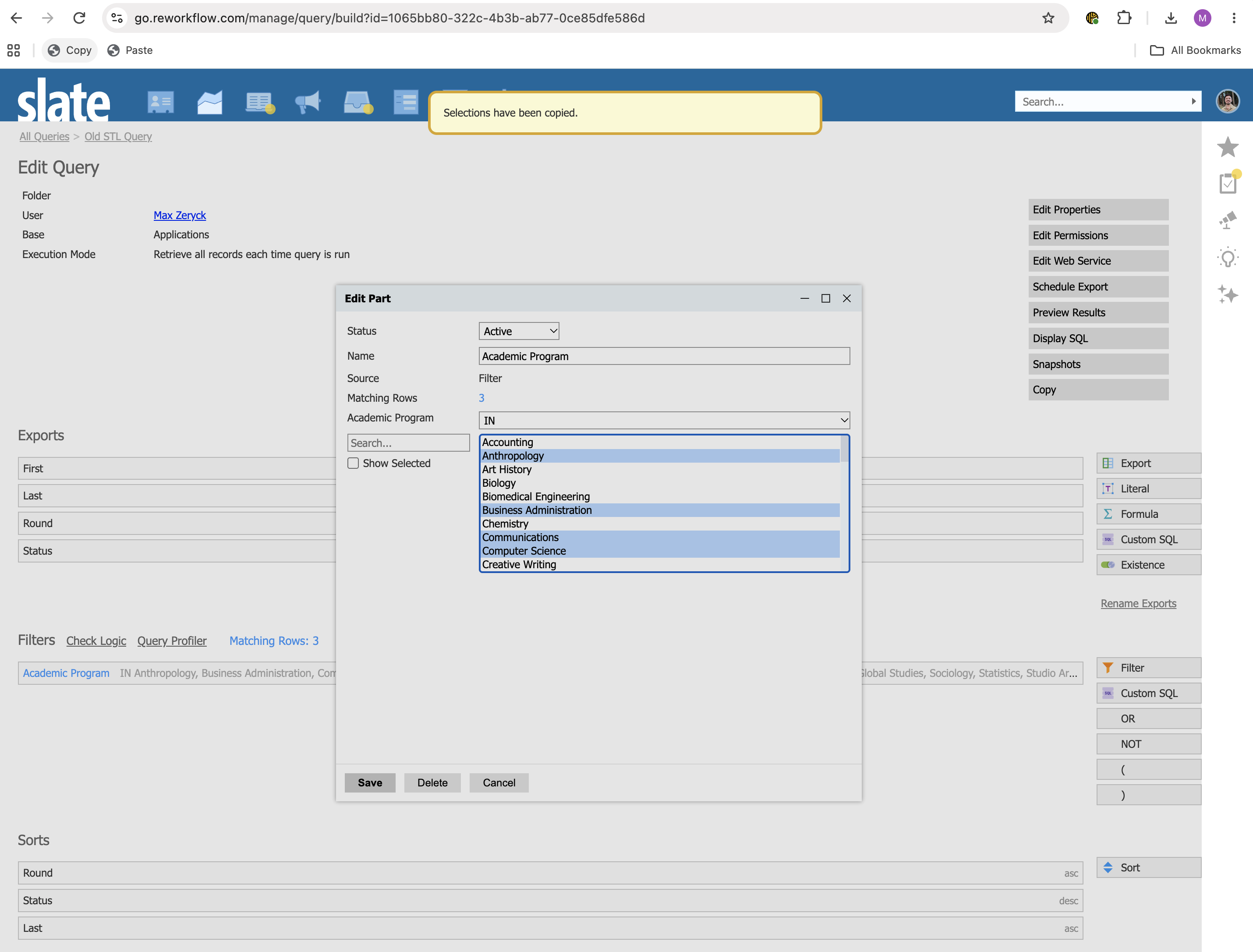
- With your source filter showing, click the Copy bookmarklet.
- Find your destination filter. (You can navigate there, or just select the tab where it's open.)
- Click the Paste bookmarklet.
Note: pasting is additive, meaning it won't replace existing selections - it will only add the new ones which aren't selected yet. To copy it exactly, make sure nothing is selected in the new filter.
Setting it Up
There are two bookmarklets to add to your browser. (Not sure how to add a bookmarklet? Learn more about them.)
Copy Bookmarklet:
javascript:(function(){const sel = $('select[name="operand"] option:selected').map(function(){const val = $(this).attr('value') || '';return val.includes('|') ? val.substring(0,val.indexOf('|')+1) : val;}).get();if (!sel.length) return; localStorage.setItem('rewCopyFilter', JSON.stringify(sel)); FW.Dialog.Load($('<div class="switchboard_toaster">Selections have been copied.</div>'),{stack: true});window.setTimeout(()=>{if($('.switchboard_toaster').length) FW.Dialog.Unload()}, 1500);})();Paste Bookmarklet:
javascript:(function(){try {let sel = JSON.parse(localStorage.getItem('rewCopyFilter'));if (!sel.length) throw 1;let found = 0;sel.forEach(function(value) {const option = $('#operand option[value^="'+value+'"]');if (option.length) {found = 1;option.prop('selected',true);}});if (!found) alert('No matching options were found.');} catch { alert('No copied selection could be found.'); }})();How it Works
These bookmarklets use something called localStorage, which allows JavaScript to store values locally in your browser. That means your selections are never sent to a server or into the cloud.
When you click Copy, the underlying values (usually Prompt GUIDs) are copied into the localStorage item for these bookmarklets. When you click Paste, the values are read back and the associated options are selected.
No comments to display
No comments to display