
Off the Record: Why Project Tasks Won't Join to a Person
You're building a query on Project Tasks and you want something simple: the task name, the task link, and the name of the person it's about. You click Join, scroll through the list, and... no Person.
Huh.
You poke around the exports. There's a Record export. There's a Record URL export. And sitting right at the end of that URL is a GUID, the GUID of the person the task is about. Slate clearly knows who this task belongs to. So why won't it let you join to them?
Here's the thing: a task's Record isn't always a person.
When a task is created, it attaches to whatever record it was created from. Create it from a person record and it points to a person. But tasks created by an application-scoped rule attach to the application, not the person. Some tasks don't point to a Slate record at all and just use a Link Title and Link URL to send you somewhere else entirely. That's also why application-linked tasks show up in your task queue but never appear under Related Tasks on the person record.
So "Record" on a Project Task is a generic pointer. It could be a person, an application, or nothing at all. And since Slate can't promise it's a person, it doesn't hand you a Person join.
The workaround: bring the person in yourself.
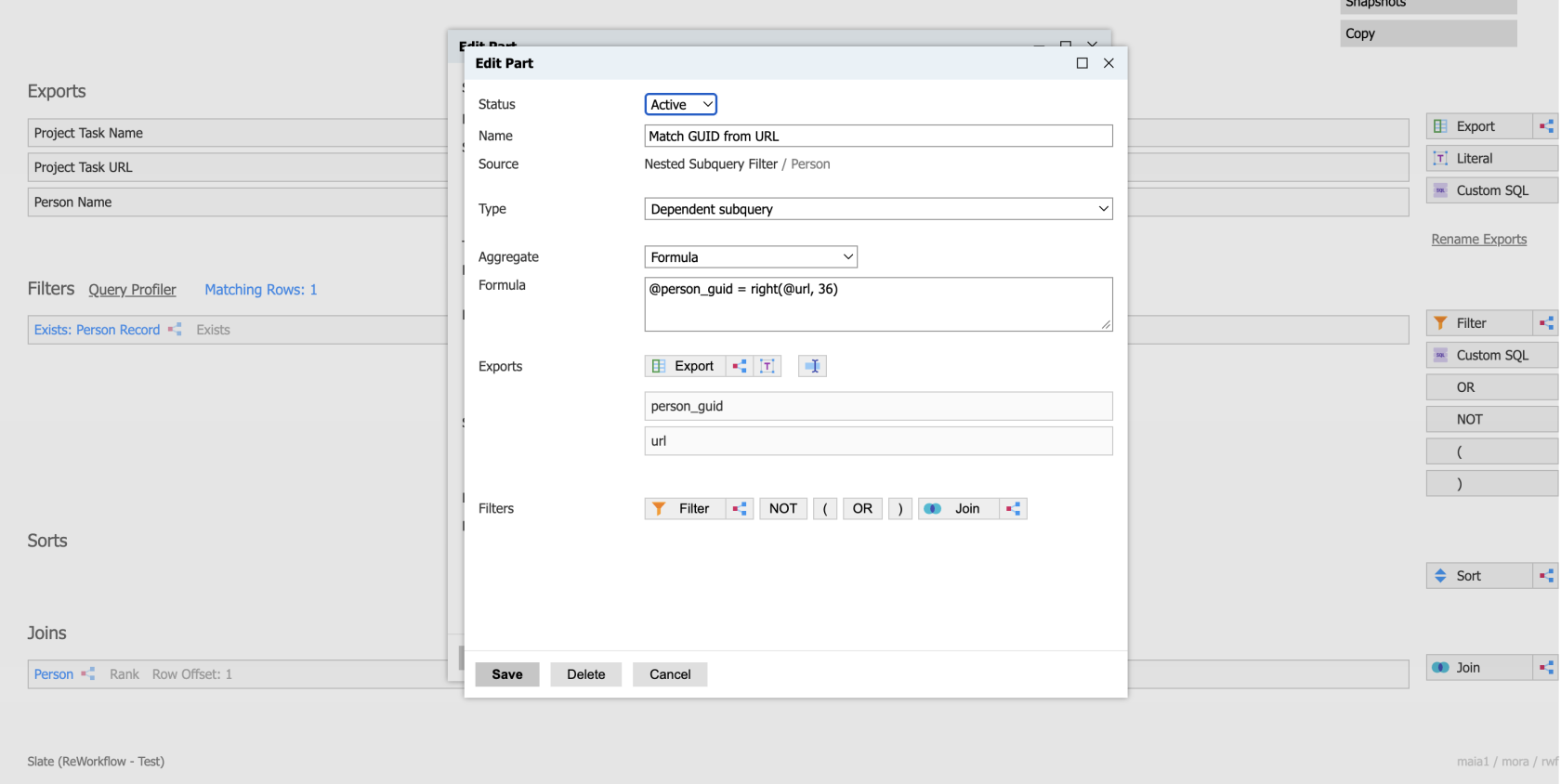
That GUID at the end of the Record URL is your way in. Here's how I set it up:
- Start a Configurable Joins query with Project Task as the base.
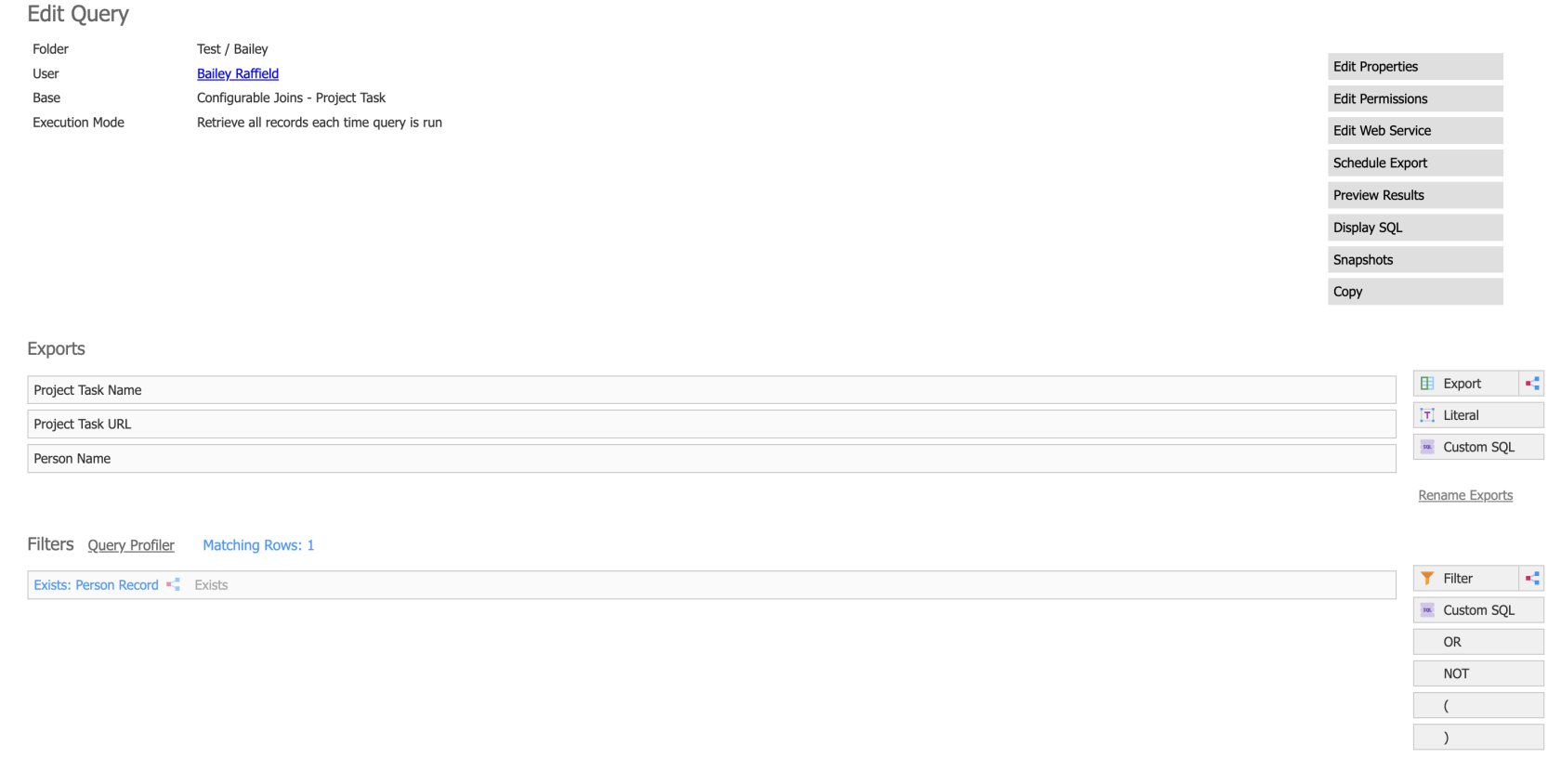
- Add an independent subquery join to Person.
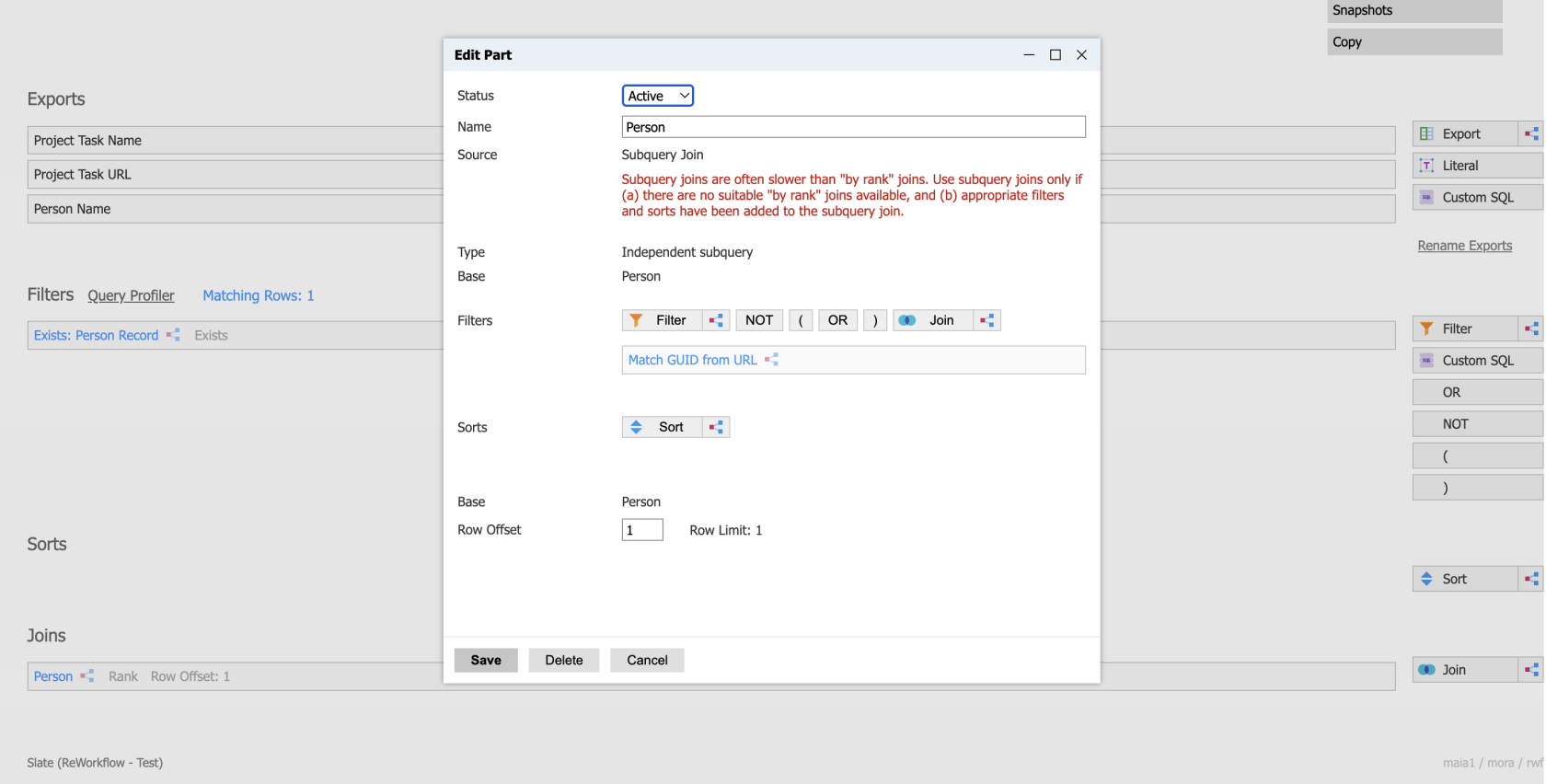
- Inside that join, add a filter that matches the person's GUID to the last 36 characters of the task's Record URL. That's where the GUID lives.
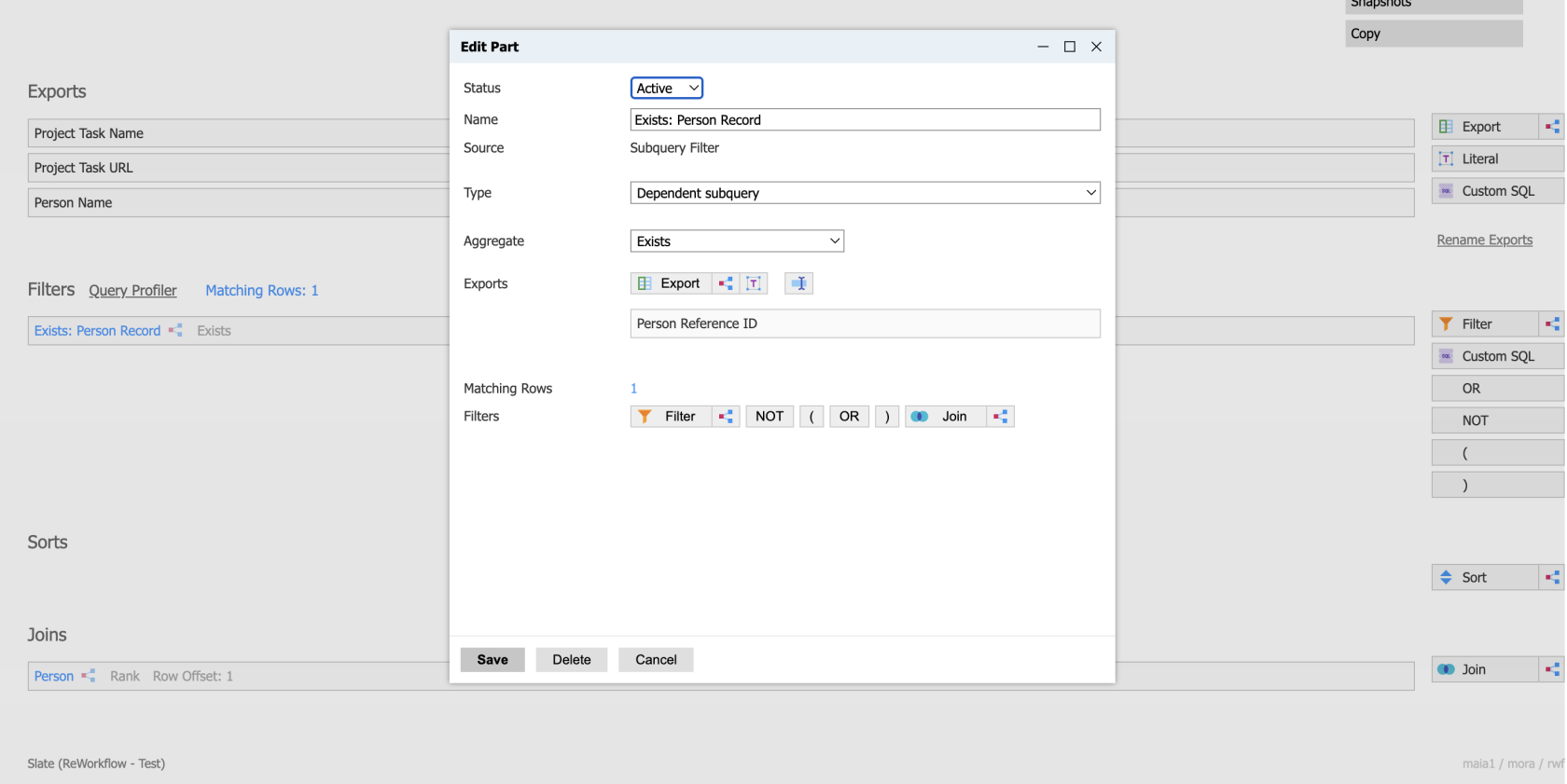
- Back on the main query, add a filter that the joined person record exists, so you're only pulling tasks that actually tie back to a person.
- Export the task name, the task URL, and the person's name from the join.
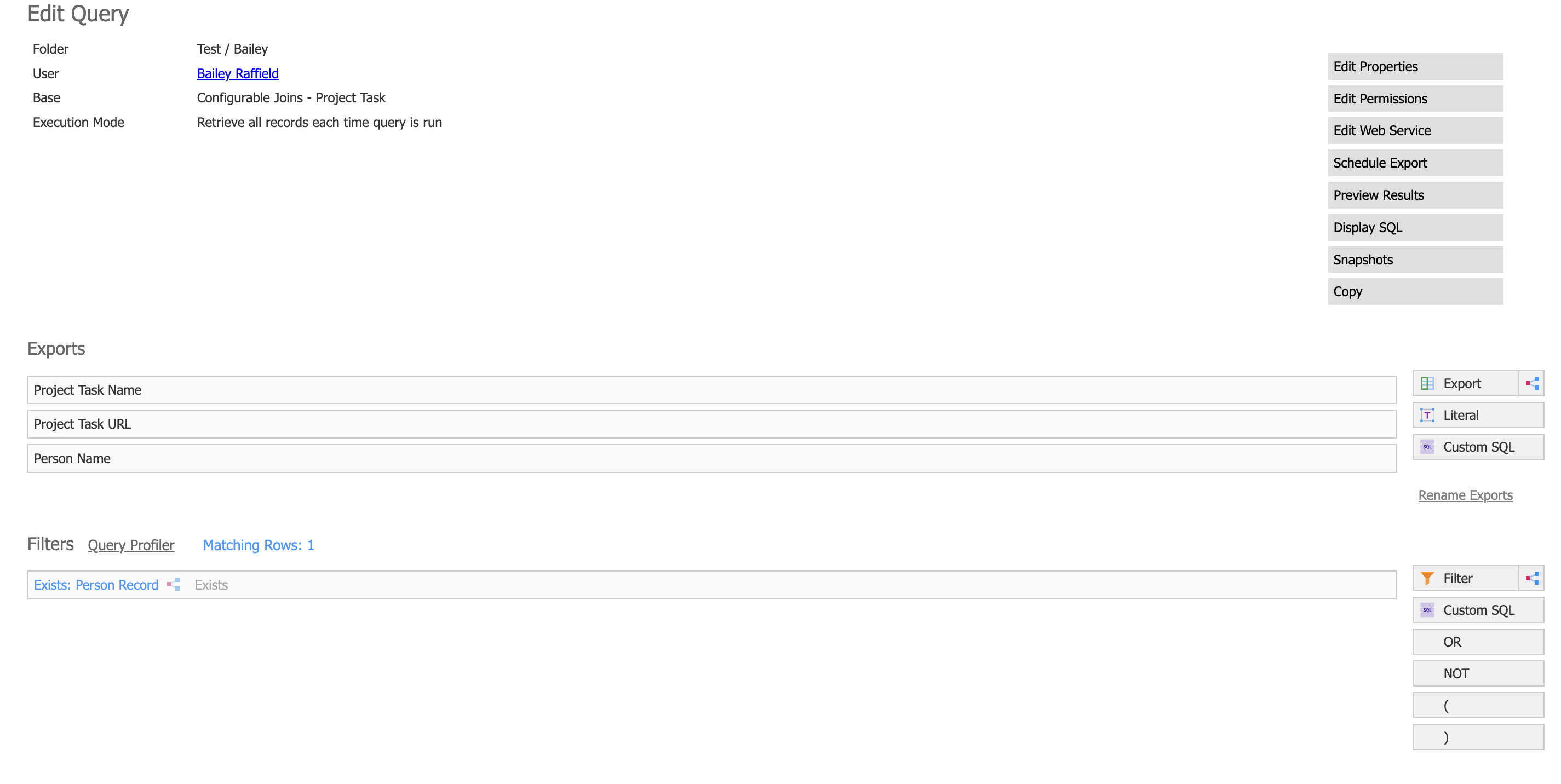
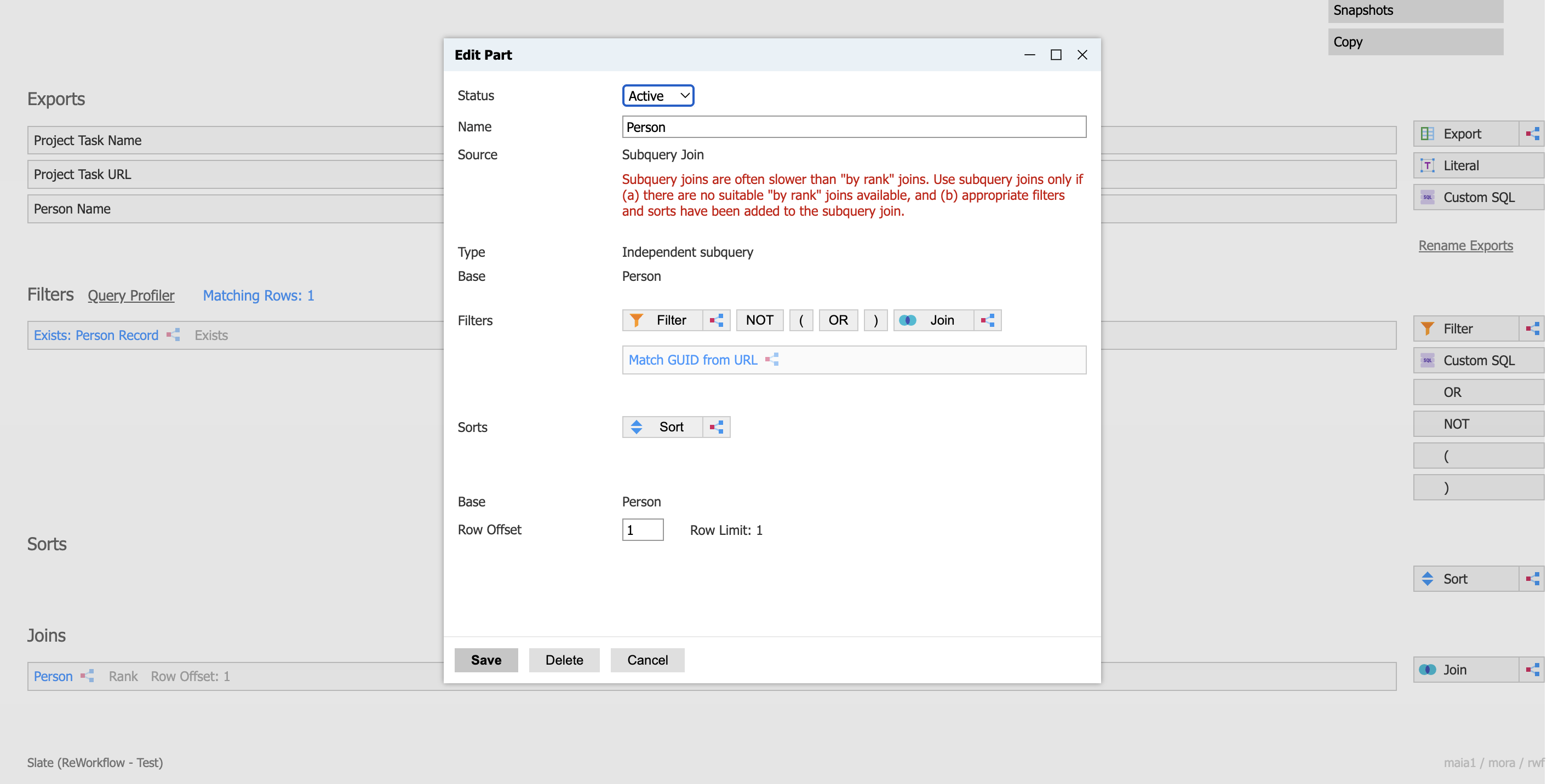
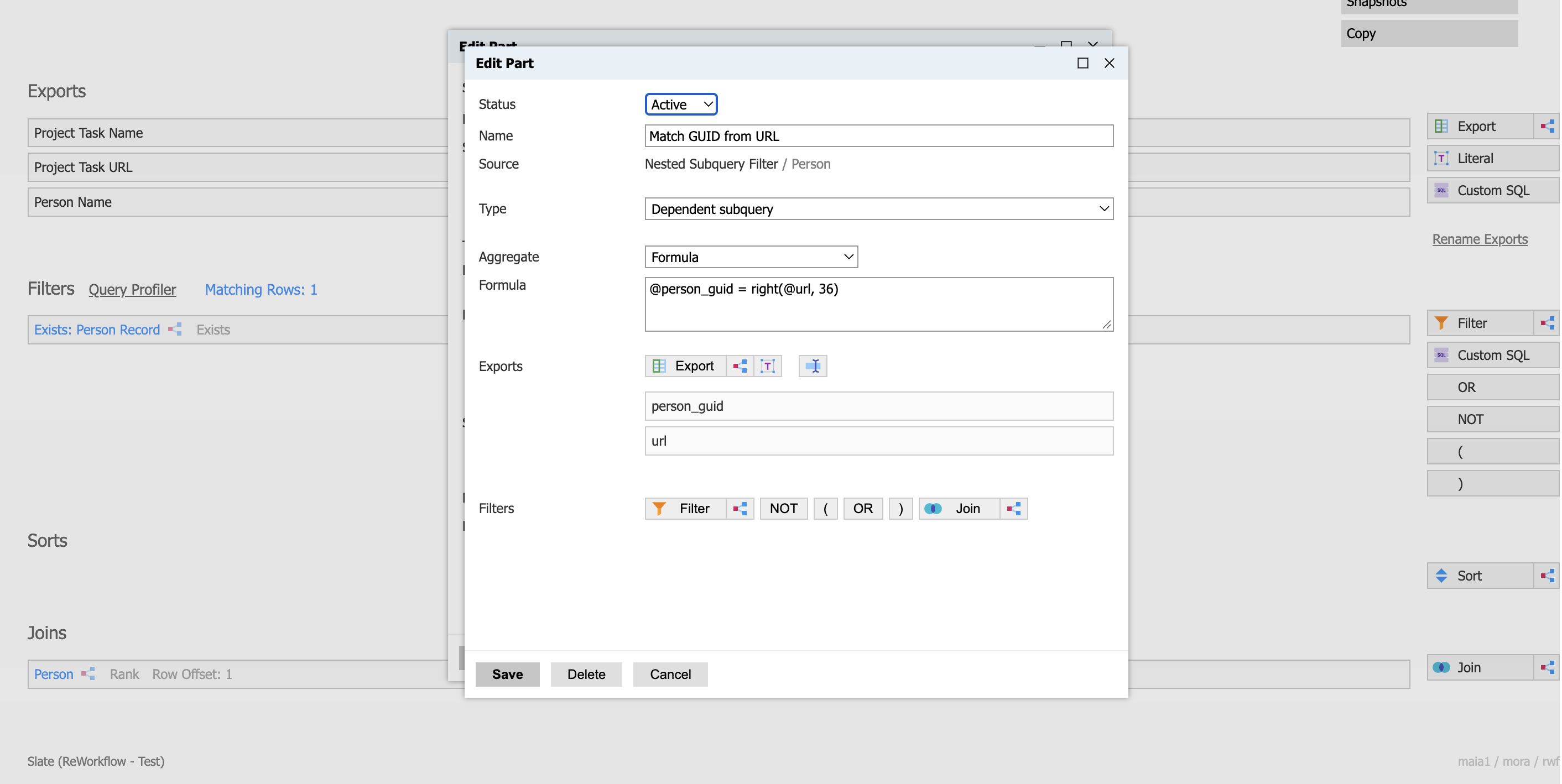
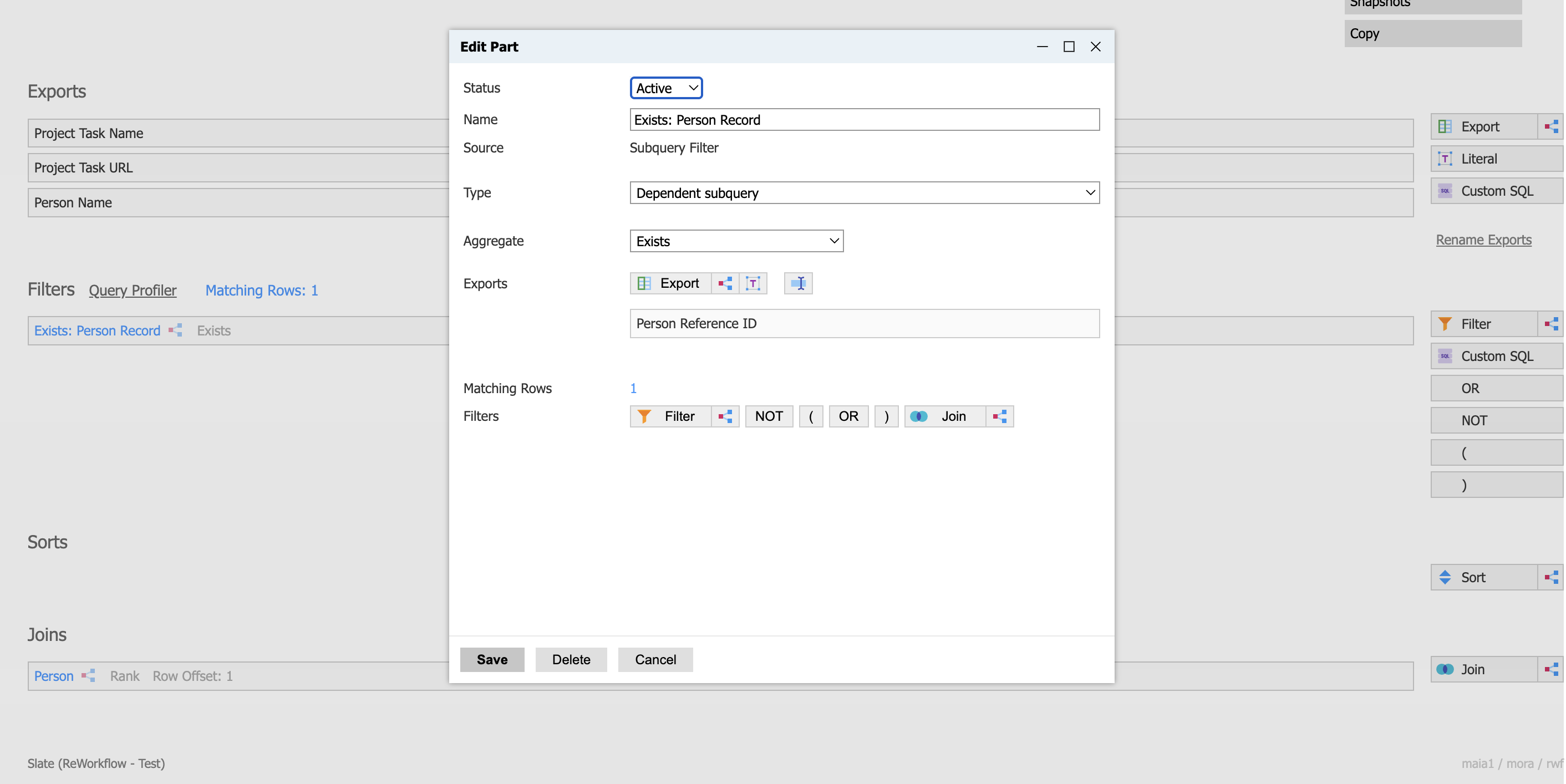
Tasks tied to a person will match. Tasks tied to an application or an external link won't, because that GUID isn't a person's GUID. If you need those too, you can set up the same kind of match against applications and pull the person from there.
The takeaway: a task's Record isn't a person, it's a pointer. Find the GUID, match it with an independent subquery join, and your tasks are back on the record.
No comments to display
No comments to display